 Moj Račun
Family in Moj Račun: a shared budget with your close ones
Updated: 2026-10-23
Family is a shared budget for up to six people. Everyone scans their own receipts and logs their own expenses as before, and the family view shows the whole picture: how much you spent together, on which categories, and who spent how much.
How it works
- Nothing is copied. The family view reads the members' expenses together. Each expense stays with the person who added it.
- One receipt counts once. If two people scan the same purchase, the family totals count it once.
- Others' expenses are view-only. You can open and look at other members' expenses, but only the author can change or delete them.
- Personal stays personal. Any of your expenses can be hidden from the family — it leaves the family view and the totals.
How to create a family
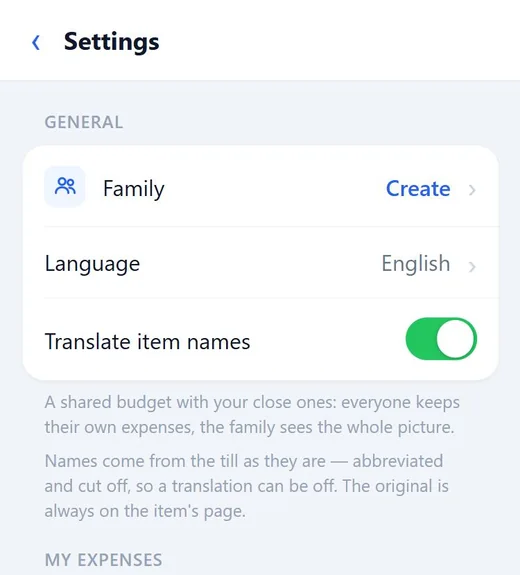
- Open Moj Račun in Telegram, tap the cog in the top right corner and choose Family → Create.
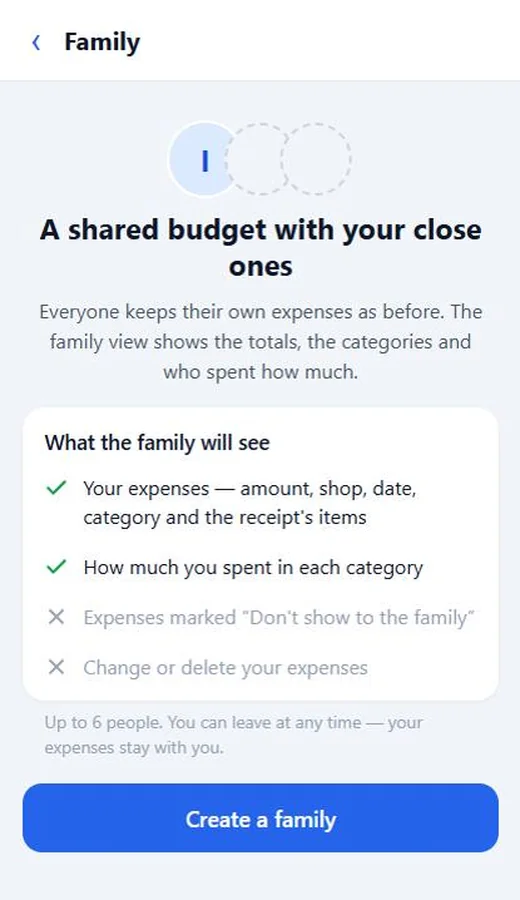
- Check what the family will see and tap Create a family.
How to invite people
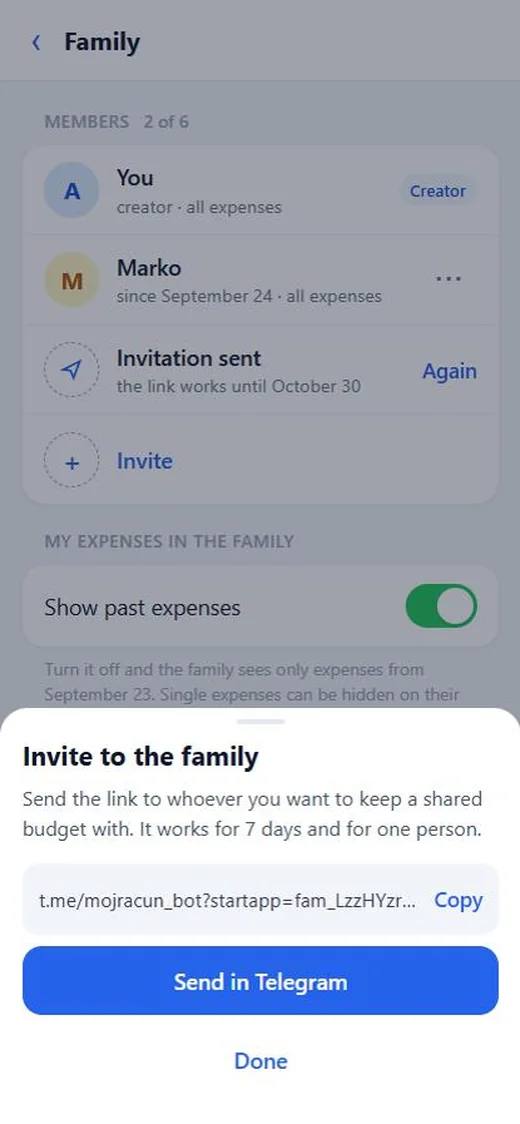
- On the family screen, tap Invite.
- Send the link in Telegram or copy it. A link works for 7 days and for one person — make a separate one for each member.
- The invited person opens the link, sees who is inviting them and what the family will see, and picks which expenses to show: all, including past ones, or only new ones from today. Then they tap Join.
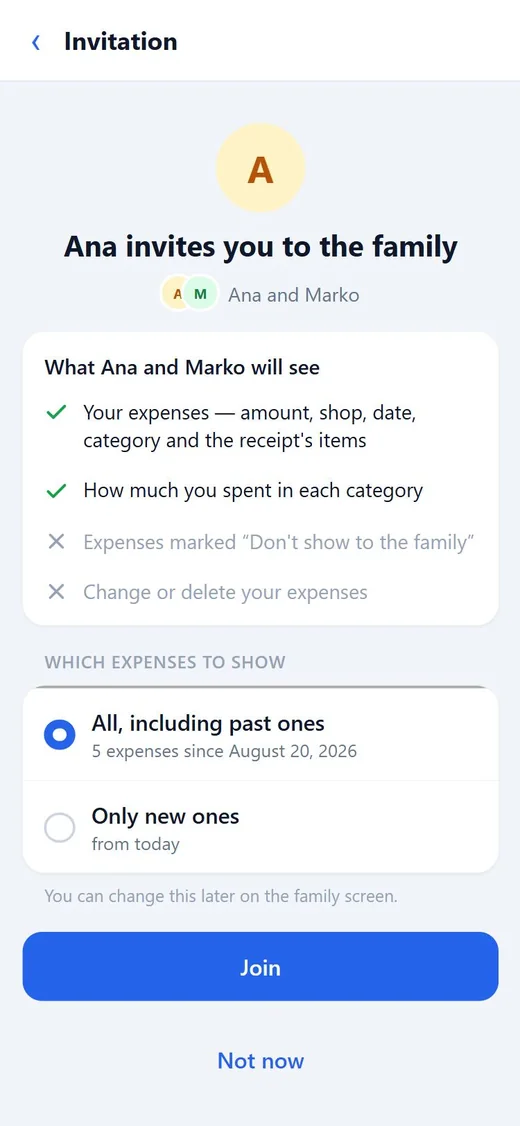
The “all or only new” choice can be changed later on the family screen.
The family view
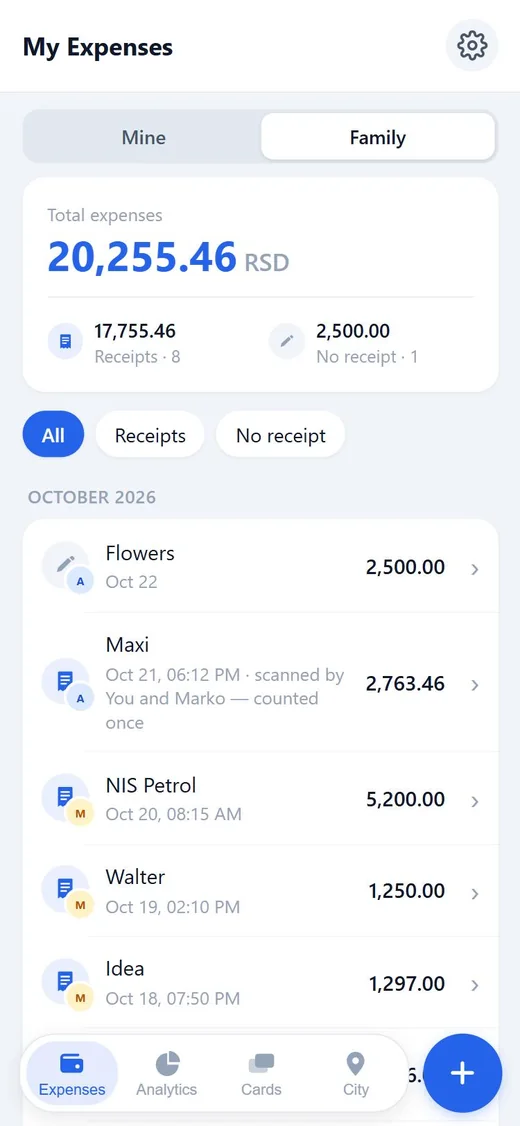
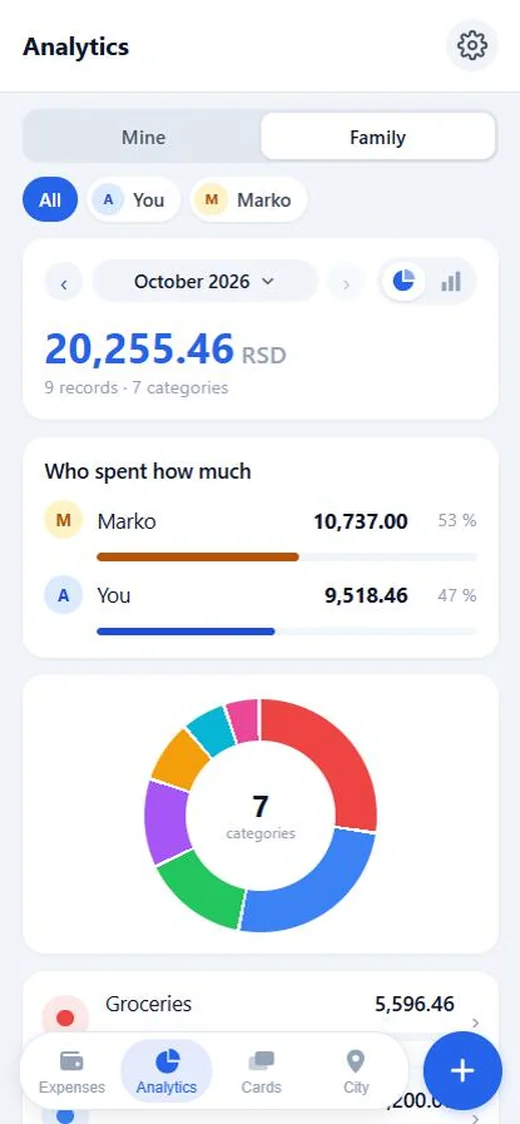
Once there are two or more people in the family, the Expenses and Analytics tabs get a Mine / Family switch.
- In the list, every expense carries its author's badge. A shared receipt scanned by two people is marked “counted once”.
- Analytics has a Who spent how much card: each member's amount and share for the chosen period. Tap a member's name at the top to see only their expenses by category.
How to hide an expense from the family
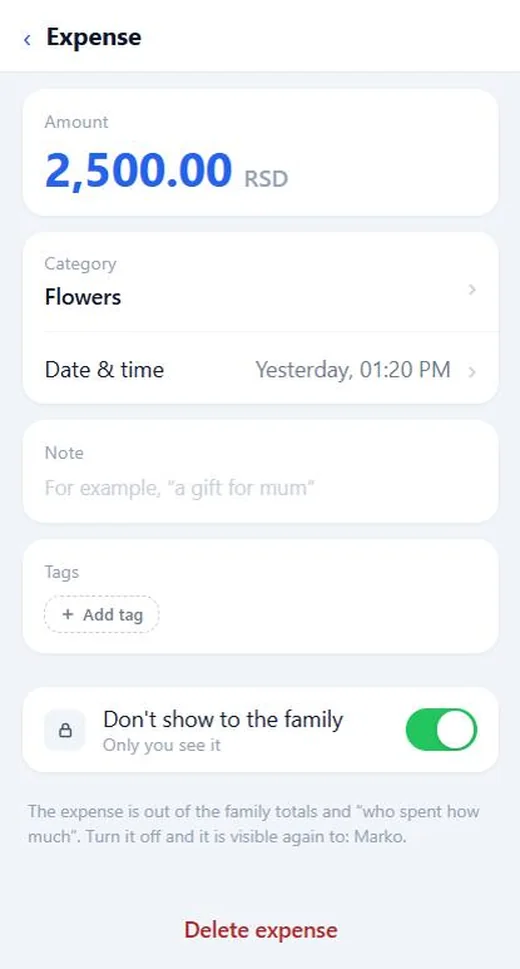
Open your expense and turn on Don't show to the family. Only you see such an expense: it stays out of the family list, the totals and “who spent how much”. Turn it off and the family sees it again.
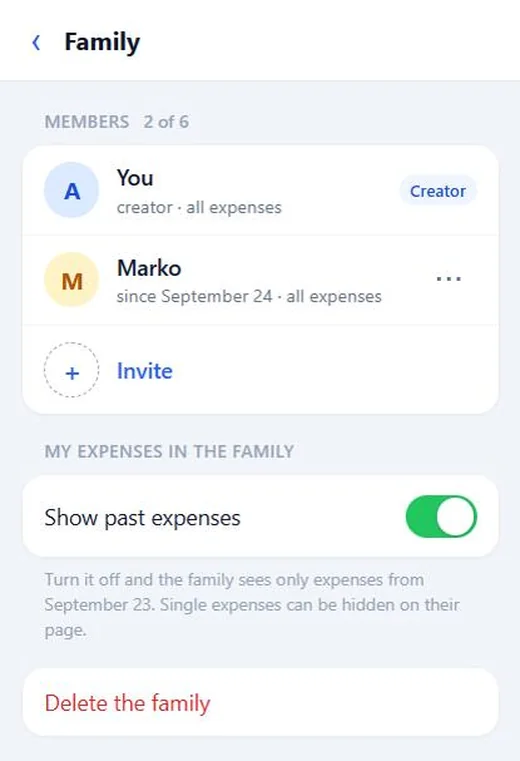
To hide everything from before you joined at once, turn off Show past expenses on the family screen — the family will then see only expenses from the day you joined.
Members, leaving and deleting
- The family's creator can remove a member with the “⋯” button next to their name. The removed person gets a message from the bot.
- A member can leave the family at any time on the family screen.
- The creator doesn't leave but deletes the whole family.
In all three cases no expenses are lost: everyone keeps their own, only the shared view goes away.
FAQ
How many people can be in a family?
Up to six, including the creator.
Can the family change or delete my expenses?
No. Other members see your expenses, but only you can change or delete them.
Will the family see expenses I added before joining?
Only if you chose “All, including past ones”. You can change that any time with the “Show past expenses” switch.
Can I be in two families?
No, only one. To move to another, leave the current one first.
The invitation link doesn't work. What should I do?
A link works for 7 days and for one person only. Ask whoever invited you to send a new one.